Embedding Your Form on a Website
Reach Your Audience Where They Are
While sharing a direct link is great for social media or emails, embedding your form directly into your website is the professional standard for lead generation and feedback. By placing the form on your own page, you maintain your brand’s authority and keep users within your sales funnel.
All sharing and embedding options are located in the Share tab of the form builder.
Step 1: Access the Share Tab
Once you have published your form and are ready to go live, look for the navigation bar at the top of the builder.
- Click the Share icon (represented by a network node).
- This will open your distribution dashboard.

Step 2: Copy the Embed Code
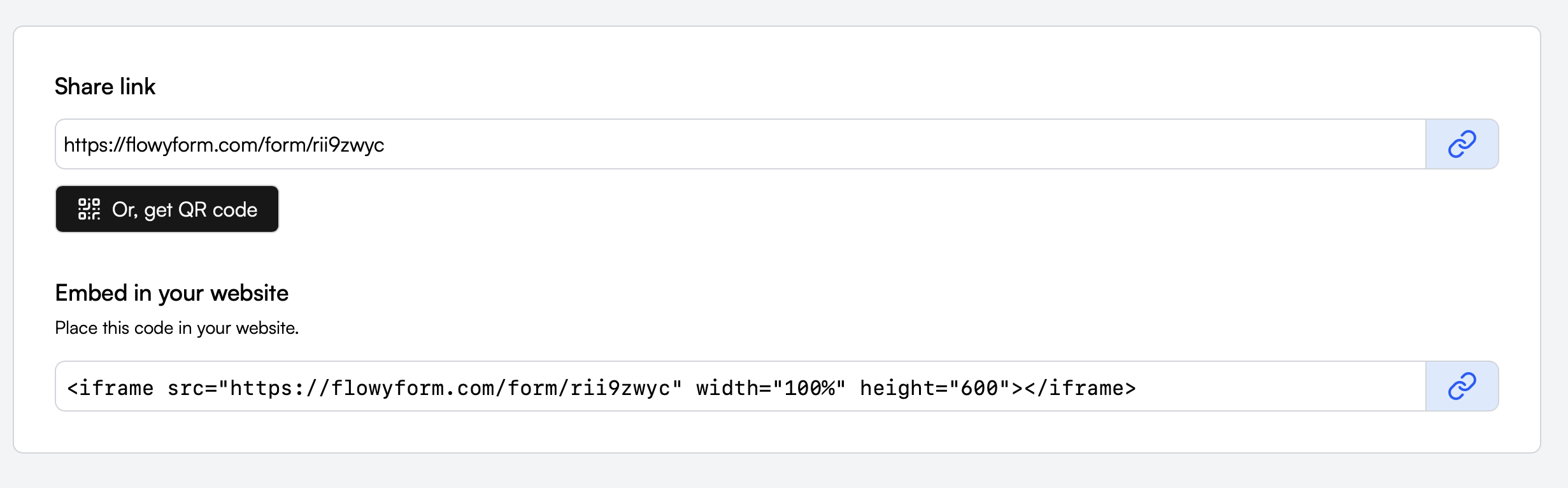
Within the Share tab, scroll down to the section titled "Embed in your website." FlowyForm provides a pre-generated <iframe> code snippet. This code is designed to be "plug-and-play" with any modern website builder (like Webflow, Framer, WordPress, or Shopify) or custom HTML site.
- Review the code snippet provided.
- Click the Copy icon at the end of the input field.
Step 3: Add to Your Website
Paste the copied code into the HTML editor or "Custom Code" block of your website.
Pro-Tips for a Perfect Embed:
- Full Width: The code is set to
width="100%"by default, meaning it will automatically stretch to fill the container you put it in. - Adjusting Height: If your form feels too short or you see double scrollbars, you can change the
height="600"value in the code to a larger number (e.g.,800or1000). - Seamless Look: Most modern site builders allow you to toggle off "scrolling" on the embed block for a more integrated feel.
Alternative: QR Codes for Physical Media
If you need to bridge the gap between the physical world and your digital form, you can also generate a unique QR Code from the Share tab.
Click the "Or, get QR code" button under the share link. This is perfect for business cards, event posters, or restaurant tables, allowing users to scan and fill out your form instantly on their mobile devices.