Real-Time Alerts with Slack
Why Use the Slack Integration?
In a fast-moving business environment, speed is everything. Integrating FlowyForm with Slack allows your team to receive instant pings the moment a new lead, feedback entry, or support request is submitted.
By pushing data into shared channels, you can ensure the right people see important information immediately, reducing your response time and improving team collaboration.
Step 1: Authorize the Slack Connection
To start receiving alerts, you first need to link your FlowyForm account to your Slack workspace.
- Open your form in the builder and navigate to the Integrate tab.
- Locate the Slack integration and click the Authorize button.
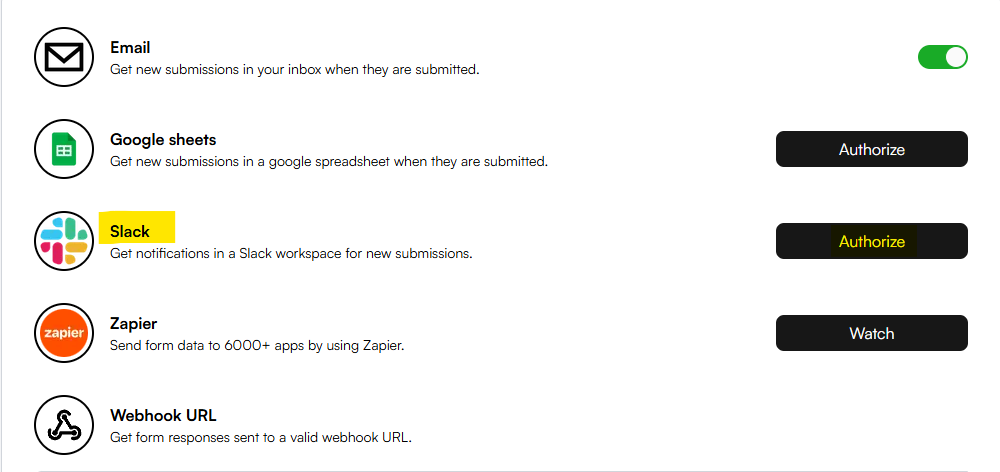
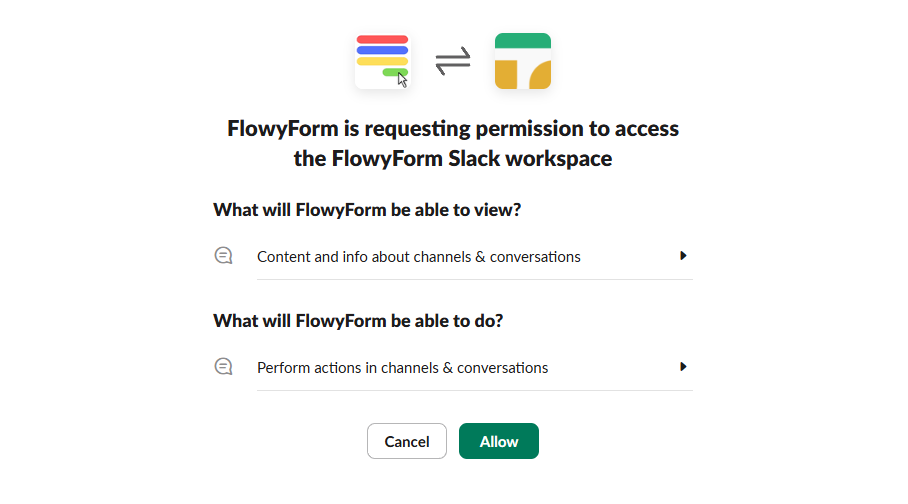
- You will be redirected to Slack’s secure authorization page. Review the requested permissions and click Allow to give FlowyForm access to post in your workspace.
Step 2: Choose Your Notification Channel
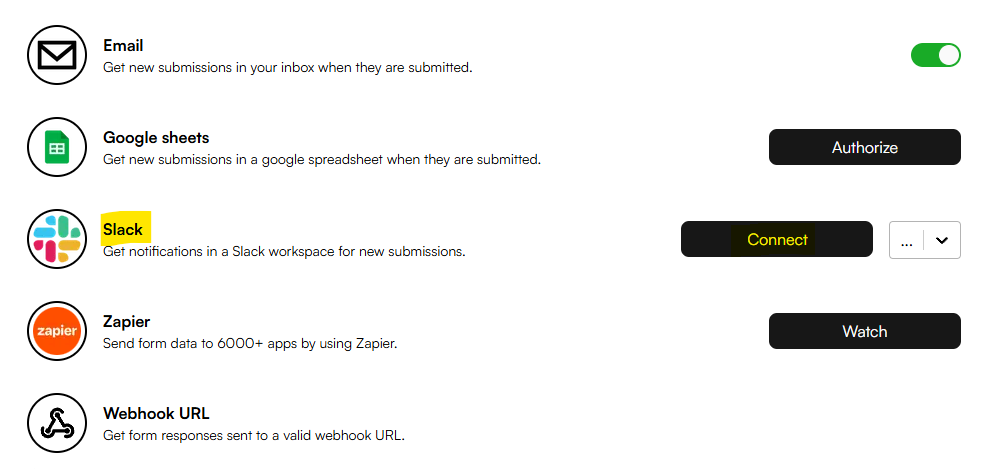
After successful authorization, you will return to the builder. You can now configure which specific channel should receive your form data.
- Click the Connect button now visible next to the Slack integration.
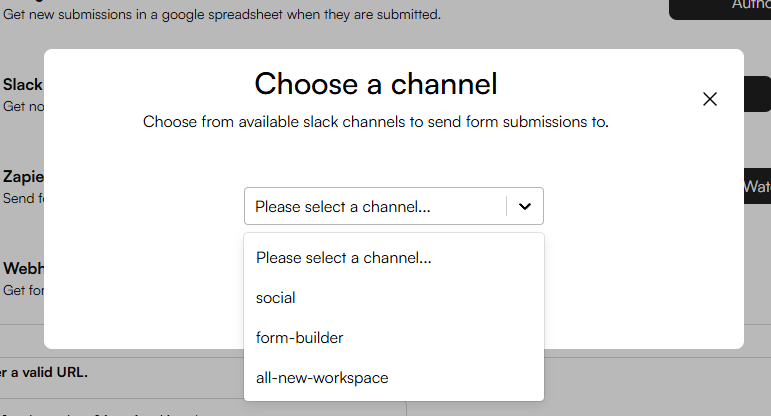
- A modal will appear listing all available public and private channels in your workspace.
- Select your preferred channel from the dropdown and hit Confirm.
Step 3: Test Your Integration
Once connected, every new submission will appear as a neatly formatted message in your chosen Slack channel. The message includes all the respondent's answers, allowing your team to take action without even opening the FlowyForm dashboard.
Congratulations! Your real-time notification system is now live.
Pro-Tip: Dedicated Channels
For high-volume forms, we recommend creating a dedicated Slack channel (e.g., #new-leads-flowyform) to keep these automated alerts separate from your team's main conversations. This helps maintain a clean workspace while ensuring no submission goes unnoticed.