Personalizing Forms with Answer Recall
What is Answer Recall?
Answer Recall allows you to take a respondent's answer from an earlier question and insert it into a later part of the form. For example, if you ask for a user's name on Page 1, you can greet them by that name on Page 2.
This creates a personalized "flow" that increases engagement and completion rates.
Trigger the Recall Menu
You can insert a previous answer into any Question Text or Description field within the FlowyForm builder.
- Click on the question you wish to personalize.
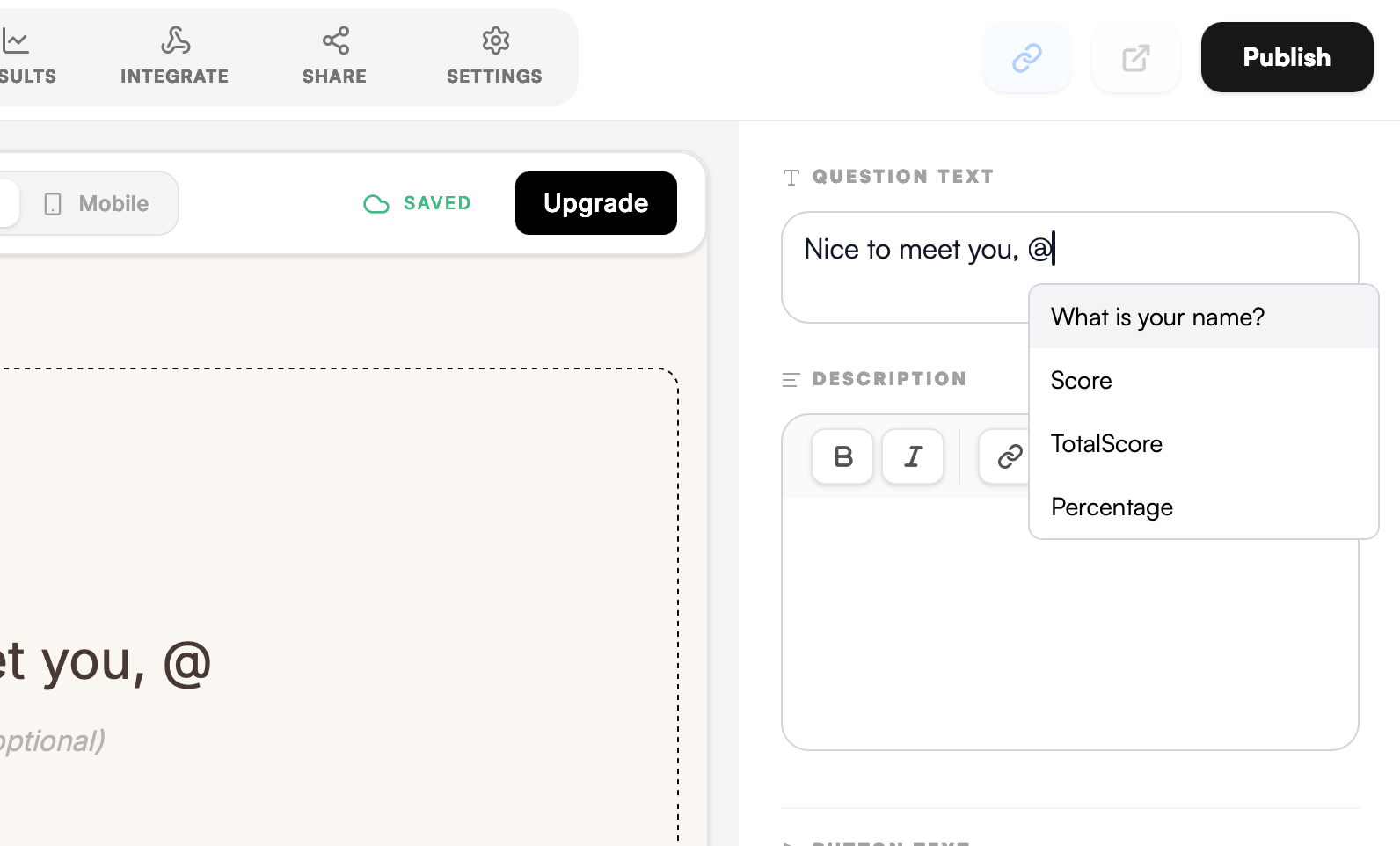
- In the right-hand sidebar, click into the Question text box.
- Type the
@symbol at the exact spot where you want the recalled information to appear.
Pro-Tip: Fallback Text
Always ensure the question you are recalling is set to Required. If a user skips a question and you try to recall it later, the text will appear blank. Making the source question mandatory ensures your sentences always make sense!